
Free online office. Right in your browser.
Edit documents, build spreadsheets, create slides, edit PDFs, sketch on a whiteboard and take notes.
A look at each app
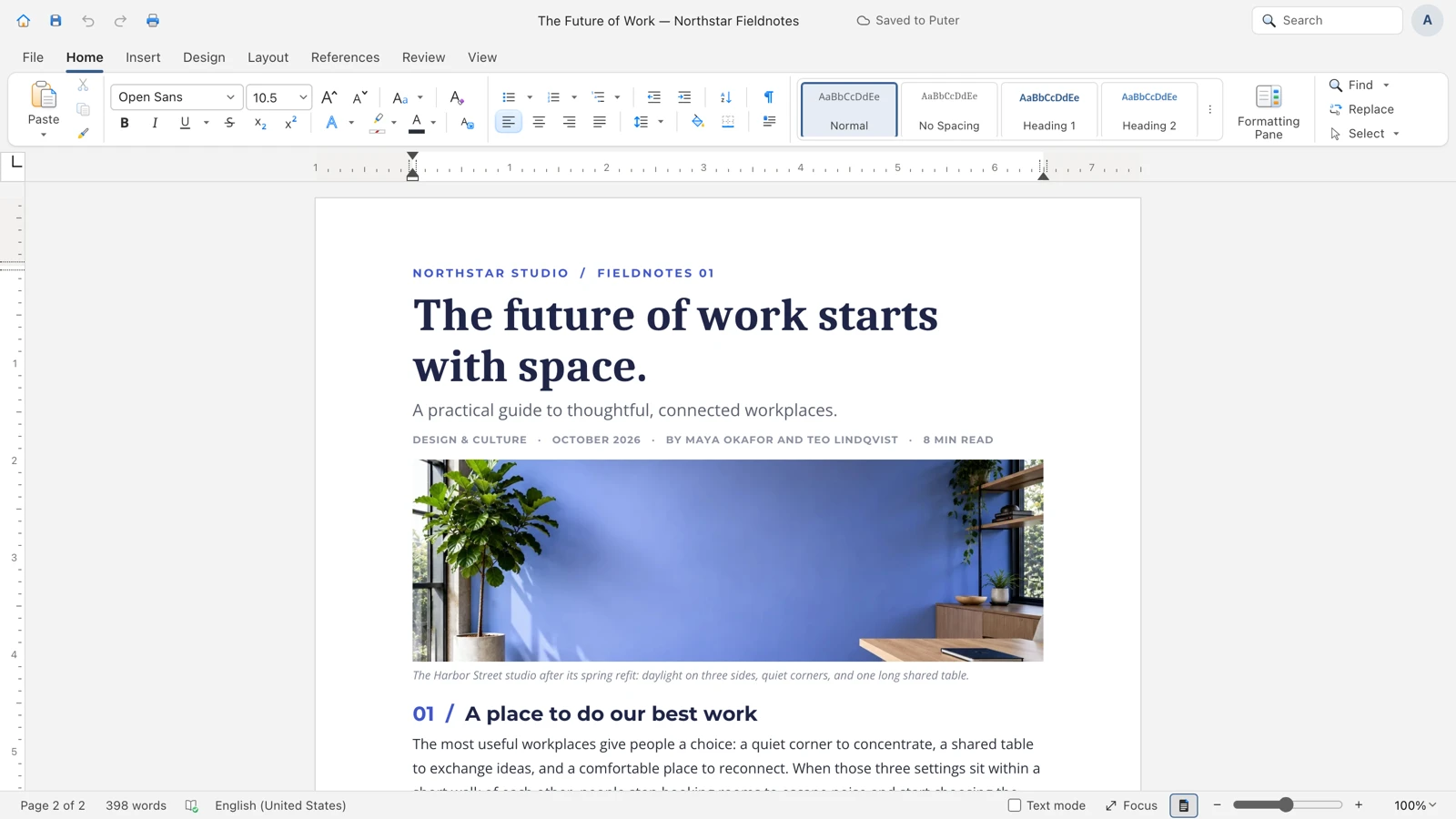
Docs is a word processor for real .docx files, with styles, tables, comments and tracked changes.
Open Docs (opens in a new tab)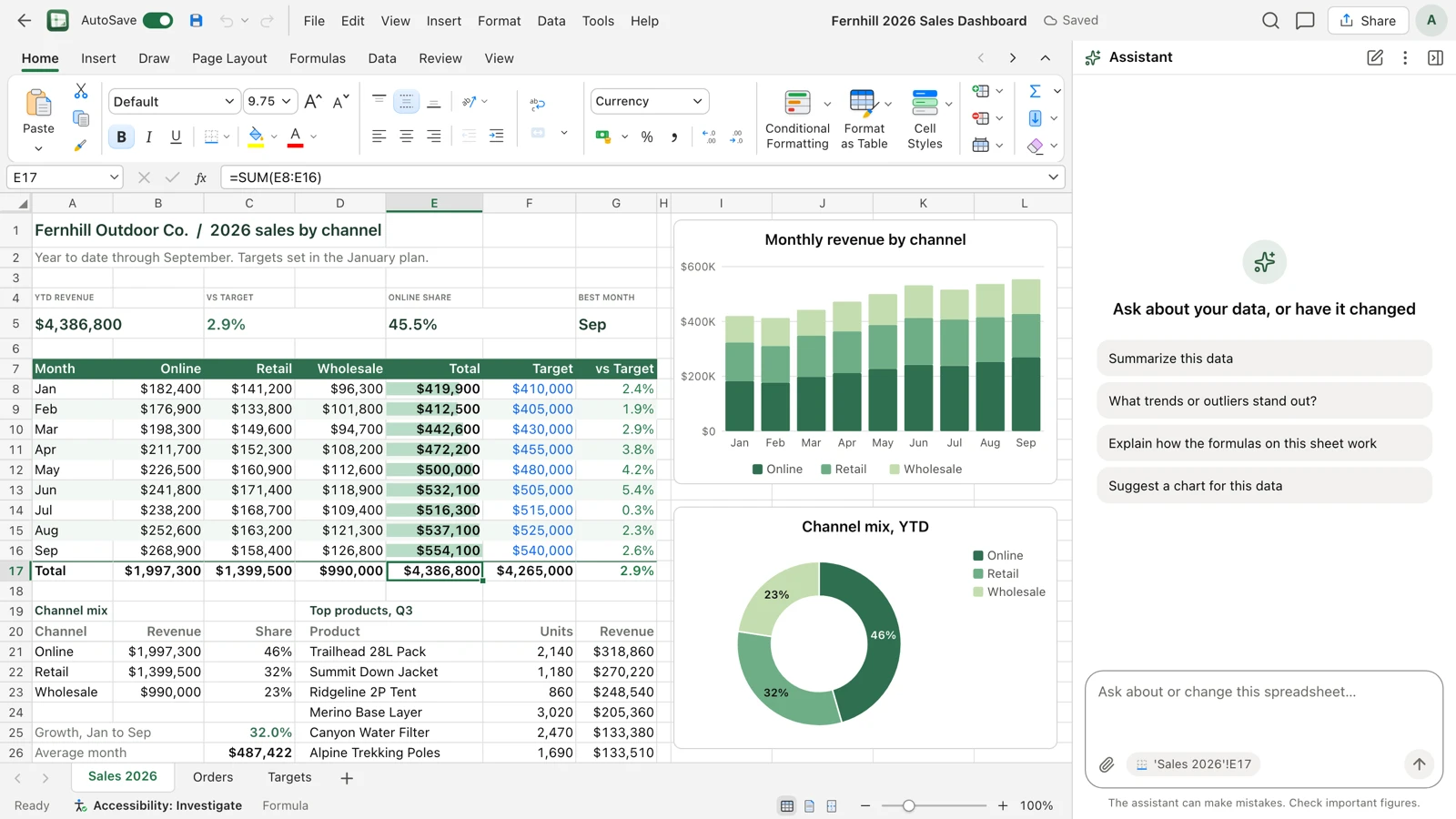
Sheets has over 500 functions, charts, pivot tables and an AI assistant, all saved as real .xlsx files.
Open Sheets (opens in a new tab)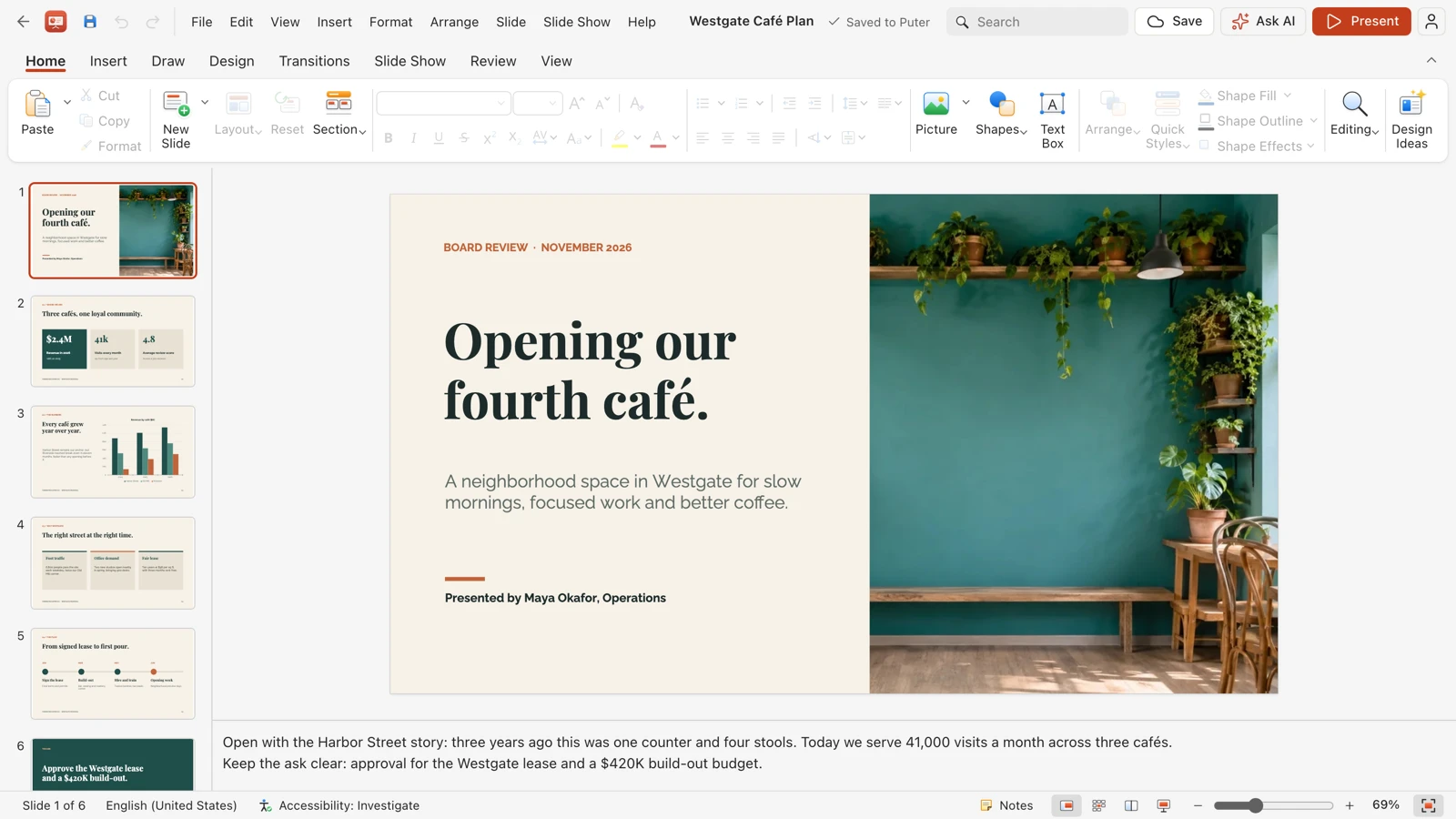
Slides edits real .pptx files and presents them with speaker notes, a timer and a laser pointer.
Open Slides (opens in a new tab)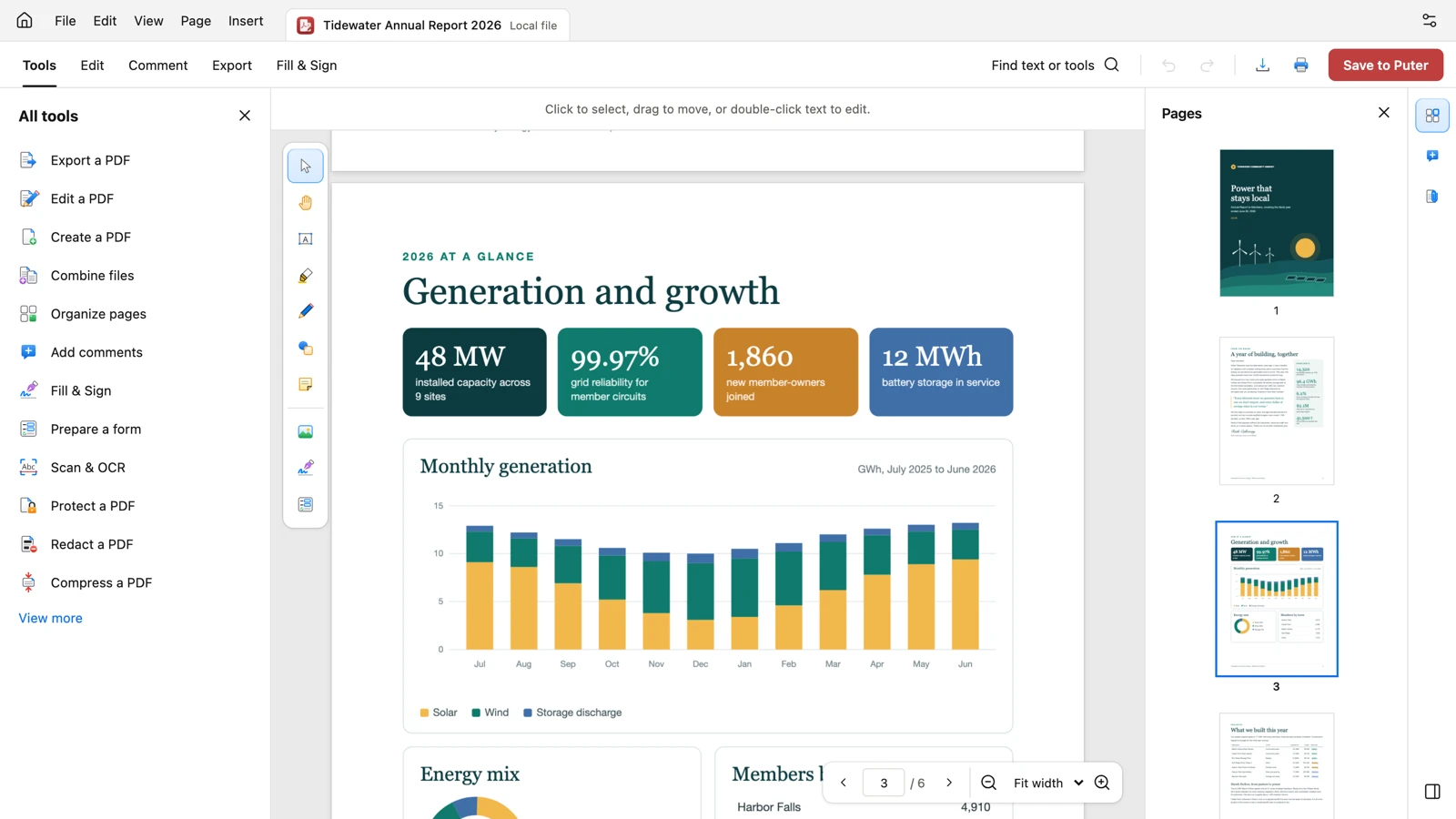
PDF edits text on the page, fills and signs forms, and reorders pages, all processed on your device.
Open PDF (opens in a new tab)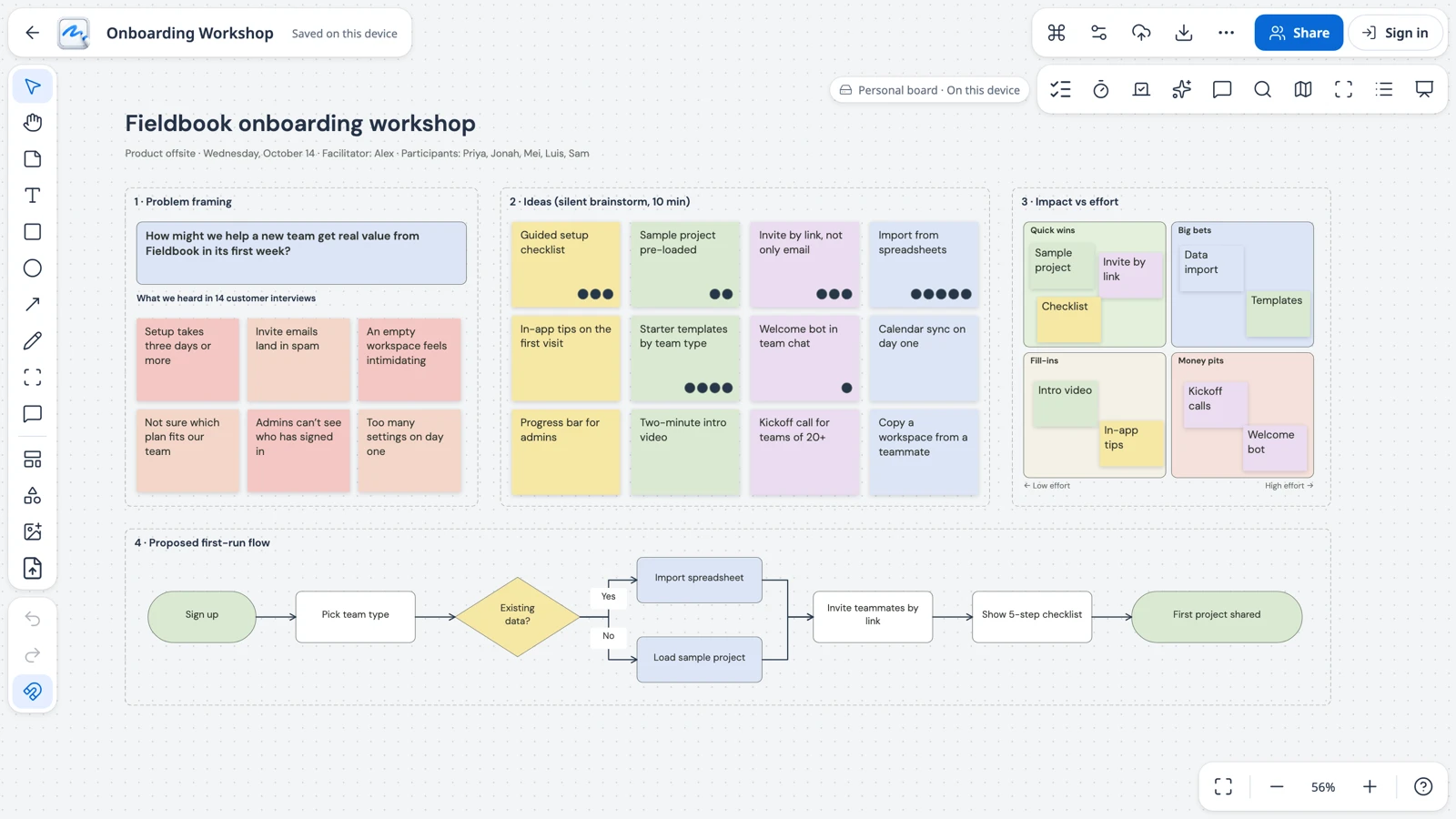
Whiteboard is an infinite canvas for sticky notes, diagrams and workshops, on your own or with your team.
Open Whiteboard (opens in a new tab)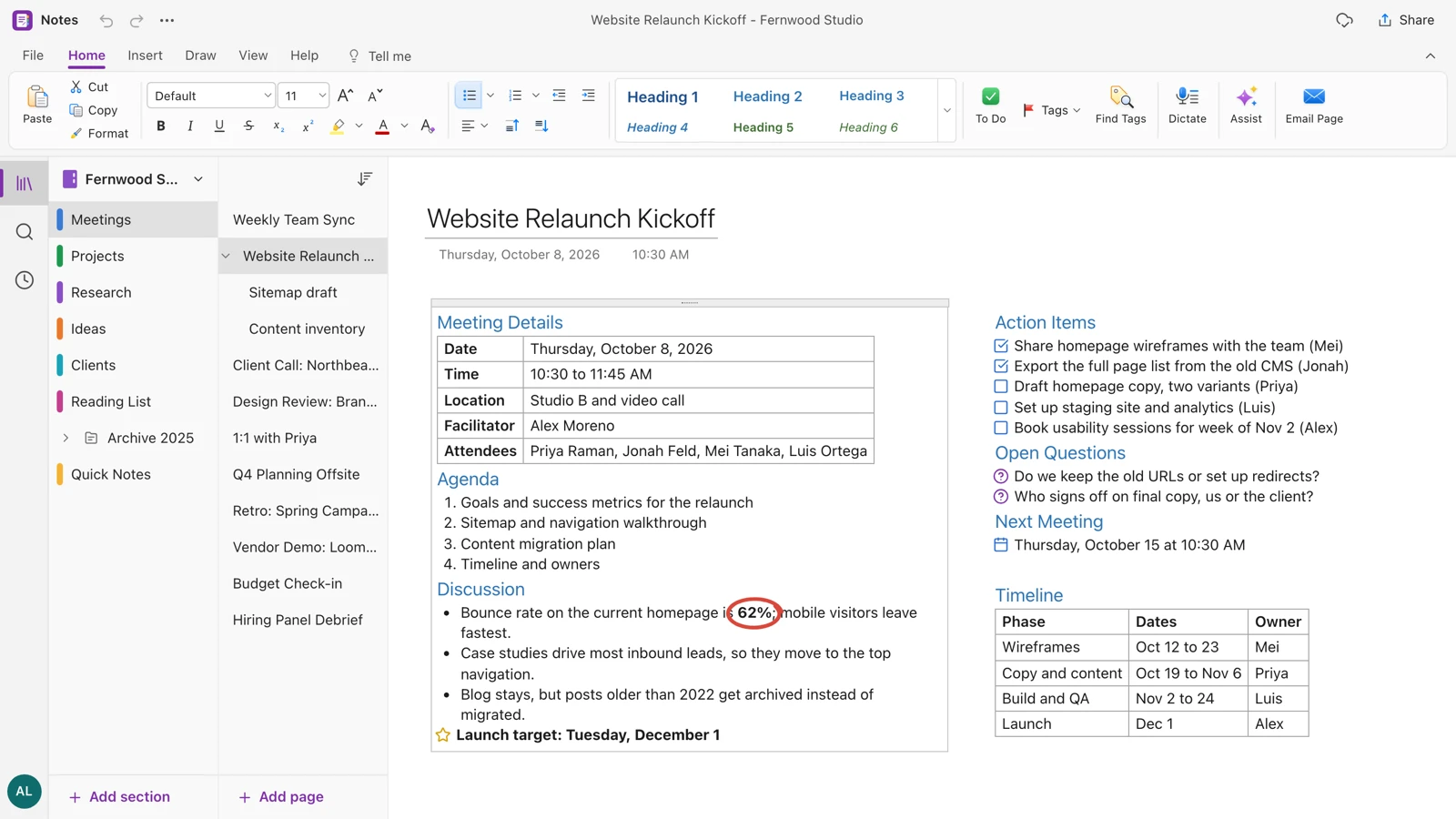
Notes is a free-form notebook with sections, tags, ink and search across everything you write.
Open Notes (opens in a new tab)Six apps. One office.
Everything you need to write, calculate, present and plan. Each app opens in a browser tab and is free to use.
-

Word processor
Docs (opens in a new tab)
Write reports, letters and essays with styles, tables, images, comments and tracked changes. Start from a template or open a Word file.
Alternative to Word, Google Docs and Pages
-

Presentations
Slides (opens in a new tab)
Build decks with text, shapes, tables and images, then present with speaker notes, a timer and a laser pointer. Ask the AI assistant for a first draft.
Alternative to PowerPoint, Google Slides and Keynote
-

Spreadsheets
Sheets (opens in a new tab)
Over 500 functions, charts, pivot tables, filters and conditional formatting. An AI assistant writes formulas and builds charts right beside your data.
Alternative to Excel, Google Sheets and Numbers
-

PDF editor
PDF (opens in a new tab)
Edit text right on the page, fill and sign forms, add comments, and merge, split or reorder pages. Your files are processed on your device.
Alternative to Adobe Acrobat and PDF Expert
-

Online whiteboard
Whiteboard (opens in a new tab)
An infinite canvas with sticky notes, shapes, connectors and 58 templates. Share a board to edit together, vote on ideas and run workshops.
Alternative to Miro, Microsoft Whiteboard and FigJam
-

Notebook
Notes (opens in a new tab)
Click anywhere on a page and write. Organize with notebooks, sections and tags, sketch by hand, and search everything at once.
Alternative to OneNote, Evernote and Apple Notes
An office suite that stays out of your way.
A free alternative to Microsoft 365 and Google Workspace, without the installers, the license keys or the lock-in.
-
Free to use
All six apps are free. There is no trial period and no license to manage.
-
Runs in your browser
Nothing to download or update. Open a tab on a laptop, tablet or phone and start working.
-
Works with your files
Open and save real .docx, .xlsx, .pptx and .pdf files, and keep sharing with people who use other apps.
-
AI where it helps
Ask the built-in assistant in Sheets, Slides and Notes to write a formula, draft a slide or summarize a page.
-
Your files, your cloud
Work is saved as ordinary files in your own Puter cloud. Download them whenever you like.
-
Open source
The code for every app is public on GitHub (opens in a new tab). Read it, run it yourself, or help improve it.
Questions, answered.
The short version: it is free, it runs in your browser, and your files stay yours.
Is Puter Office really free?
Yes. Docs, Slides, Sheets, PDF, Whiteboard and Notes are free to use in your browser. There is no trial period and nothing to install.
Do I need an account?
Not to get started. Slides, Sheets, PDF and Whiteboard open straight into a new file. A free Puter account lets you save your work to the cloud and reach it from any device. Notes asks you to sign in first, because your notebooks are stored there.
Can I open Microsoft Office files?
Yes. Docs works with .docx, Sheets with .xlsx and Slides with .pptx. Your files stay in those formats, so they still open in Word, Excel, PowerPoint and other office apps.
Where are my files stored?
Files you save go to your own Puter cloud storage as regular files that you can download at any time. PDF processes documents on your device and uploads them only when you choose to save. Whiteboard keeps personal boards on your device.
Is Puter Office open source?
Yes. The apps are built in the open as part of the Everything Project, and the source code is available on GitHub (opens in a new tab).
Does it work on phones and tablets?
Yes. The apps adapt to desktop, tablet and phone screens, and follow your light or dark mode setting.
Open a tab. Get to work.
Pick an app and start in seconds.
 Docs
 Slides
 Sheets
 PDF
 Whiteboard
 Notes